The AI Process Behind Every Client Workflow I Build
Every client who comes to Pancake Pixels gets a different workflow. Not a different colour scheme on the same template — an actually different sequence of steps, built around how their business really runs. A tiler in Geelong doesn't follow up the same way a bookkeeper in Richmond does, and pretending otherwise is how small businesses end up paying for automation that nobody uses.
I'm a one-person studio. I don't have a team of workflow designers sitting around mapping out logic trees. What I have is AI, and a method for using it that keeps the thinking mine and the grunt work someone else's. This post is about that method — not as a tech demo, but because if it works for building a whole business's worth of client workflows, it's worth asking what it could do inside your business too.
I also want to be upfront about the limits of this. AI doesn't talk to anyone's customers. It doesn't decide what a business should charge, or whether a lead is worth chasing, or how a particular client likes to be spoken to. Those calls stay with me, every single time. What changes is how fast I get from "here's roughly what this business needs" to a workflow I can actually test.
Why template workflows fall apart
Most CRM platforms ship with starter workflows: book a call, send a reminder, follow up if no-show. They're fine as a skeleton. They're not fine as the finished product, because every business has at least one step that doesn't fit the template — a quoting stage that takes three days, a job that needs a site visit before anyone can price it, a service that's booked by the hour instead of the appointment.
Bolt a generic workflow onto a business with its own rhythm and you get the thing I see most often when a new client switches to Pancake Pixels: automations that technically run, and get ignored. The follow-up sequence I wrote about in the five-touch sequence that saves paid leads only works because it was built around how leads actually behave, not around what a template assumed they'd do.
Mapping the logic before touching the build
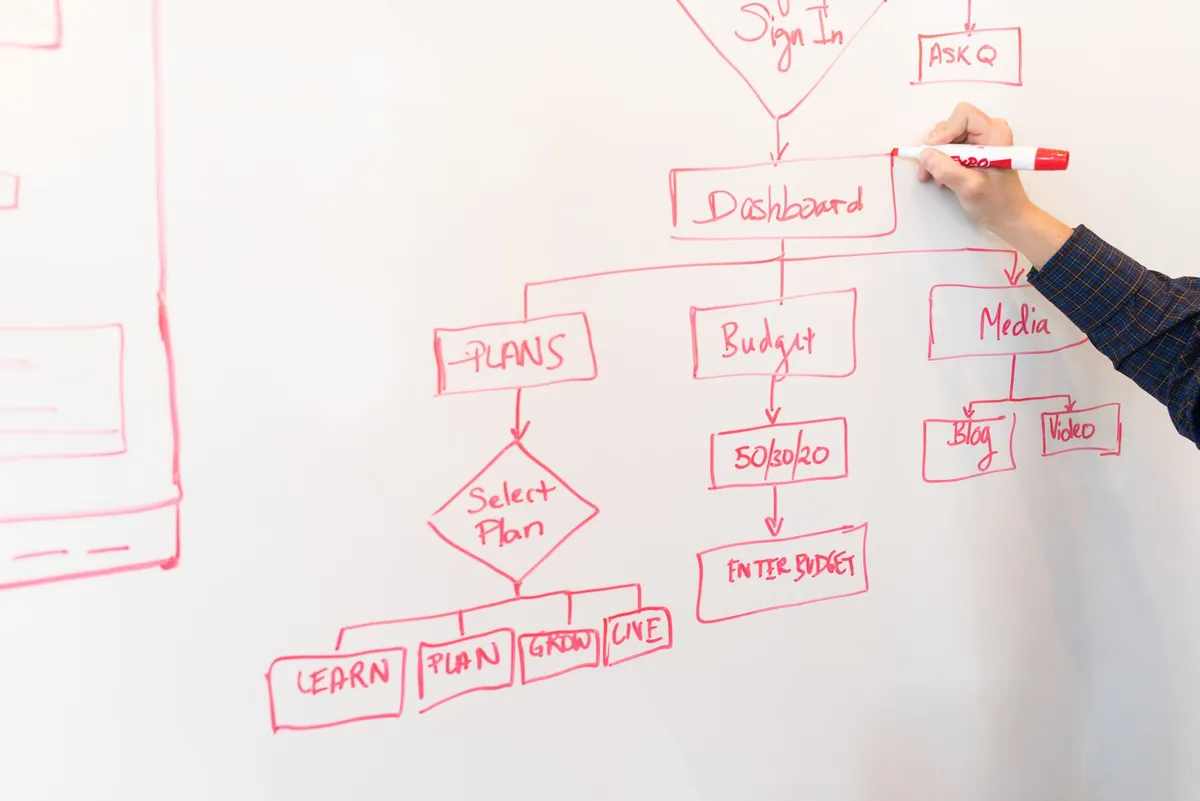
Here's the actual process. Before I open the CRM and start dragging workflow steps around, I sit with AI and describe the business in plain language — what they sell, how a lead usually moves through their process, where things currently go wrong. I ask it to map that as a logic tree: triggers, branches, wait times, exit conditions. This is the part that used to take me half a day of whiteboarding per client. Now it takes twenty minutes, because the AI isn't designing the workflow — I am. It's just holding the structure still while I argue with it, which is a very different job to "write my marketing for me." It's closer to what I described in the AI co-worker piece: a second brain for the mechanical part, not a replacement for the judgement calls.
A concrete example: the quote-to-job handoff
Take a trades-style business — say, someone who quotes jobs on-site and doesn't close the sale until a week or two later. A generic CRM workflow treats "quote sent" as basically the same as "lead captured," and fires the same two-email nudge sequence. That's wrong for this business, because a week-old quote needs a phone call, not an email, and an unanswered quote after three weeks needs to drop out of the active pipeline entirely so it stops cluttering the owner's dashboard. When I map this kind of workflow with AI first, I get a branching structure in minutes: day 2 text, day 5 call task assigned to the owner, day 10 a different kind of email depending on whether the quote was opened, day 21 auto-archive with a tag for a slower re-engagement campaign. I still redraw half of it by hand once I see it on screen — AI is reliably about 80% right on the first pass and confidently wrong about the other 20%, usually on timing — but getting from blank page to 80% right in twenty minutes is the actual win.
A second example: the booking business with two types of client
Not every business has one kind of customer, and that's usually where off-the-shelf automation falls over hardest. Picture a business that takes both one-off bookings and repeat clients on a standing schedule — a cleaning business is a good stand-in, though the same shape turns up in anything from mobile mechanics to allied health. A one-off booking needs a confirmation, a reminder the day before, and a review request after. A standing client needs almost none of that, because they already know what's happening — what they need instead is a simple exception path for the weeks they cancel, so the system doesn't keep nagging them as if they were new. Mapped with AI first, that split shows up immediately as two branches off a single trigger, with the fork decided by one field: is this contact already tagged as recurring. Without mapping it out first, it's easy to build one sequence, realise four weeks later that your regulars are getting review requests meant for strangers, and quietly turn the whole thing off. I've seen that exact pattern in businesses before they came to Pancake Pixels — not because the owner did anything wrong, but because nobody sat down and drew the fork before building.
Where it gets things wrong, and why I check every step anyway
I'd be lying if I said AI gets workflow logic right every time. It doesn't. The most common failure is proposing a branch that sounds sensible but creates a loop — a lead that could theoretically re-enter the same sequence twice, or a wait step that never resolves because the exit condition depends on a field the business doesn't actually track. Every workflow gets tested with fake contacts before it ever touches a real client's data. That's not an AI-specific precaution — I'd test a hand-built workflow the same way — but it matters more here because the thing drafting the first pass doesn't know what it doesn't know about this particular business. The automations I described in the hour-a-week automations post only save time if they're right. A workflow that silently fails is worse than no workflow, because the owner stops checking it.
What this actually changes for a client
The honest answer is turnaround and price, not magic. A workflow that used to take me most of a day to design now takes an afternoon including the testing. That's the whole story — I'm not claiming AI builds better workflows than a careful human would given unlimited time. I'm saying a one-person studio can now give a small business the kind of considered, specific-to-them workflow that used to only make sense for a client paying agency rates for a dedicated strategist. That's the actual pitch behind Pancake Pixels' done-with-you model: you get a workflow built around your business, not a template, because the mapping step that makes that possible no longer eats a full day of billable time. If you want to see what that looks like for your own setup, that's what Brand & Growth is for.
The point of writing this down
I'm not writing this to sell you on AI generally — plenty of that already exists. I'm writing it because I think small business owners underestimate what's available to them right now, at the scale they actually operate at. If a single person in Melbourne can map, test and ship a properly custom workflow for a client in an afternoon, the question worth asking isn't "should my business use AI." It's "what in my business currently takes a full day that doesn't need to."
Continue reading
- The AI Co-Worker That Gives Australian Small Business Owners Their Week Back
- The Follow-Up Sequence That Saves the Leads You're Already Paying For
- 5 Small Business Automations That Save You an Hour Every Week
Full disclosure: this post was drafted with Claude, reviewed for accuracy, and published through the automated pipeline it describes. That is the point — you are reading proof of what the platform can do.
